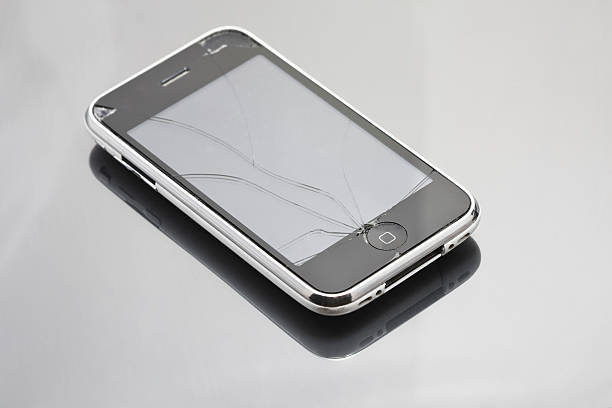
Installing a screen protector on your iPhone may seem like a daunting task, but with the right approach and tools, it can be accomplished seamlessly. A screen protector is an essential accessory that helps safeguard your device from scratches, smudges, and potential cracks. This article provides a step-by-step guide to installing a screen protector like a professional. By following these instructions, you can ensure a bubble-free and perfectly aligned installation that enhances the longevity of your iPhone screen.
Gathering Necessary Tools
Before starting the installation, it is crucial to have all the necessary tools at hand. This preparation will not only streamline the process but also help in achieving a flawless finish. Here”?s what you need:
- A clean, well-lit workspace
- Microfiber cloth
- Dust removal stickers or tape
- Screen cleaning solution or alcohol wipes
- The screen protector kit, which typically includes an alignment tool
- Patience and a steady hand
For further insights on screen protector tools, explore further insights here.
Preparing Your iPhone
Proper preparation of your iPhone is key to a successful installation. Follow these steps to ensure your screen is ready:
Clean the Screen
- Turn off your iPhone to avoid any accidental touches.
- Use a microfiber cloth to gently wipe away any smudges or fingerprints.
- Spray a screen cleaning solution onto the cloth, not directly onto the screen, and wipe again to remove any stubborn marks.
- For dust particles, use dust removal stickers or tape to gently lift them off the screen.
Read more about this topic on screen cleaning techniques.
Installing the Screen Protector
With your iPhone prepared, it”?s time to apply the screen protector. Follow these steps for a precise installation:
Align and Apply
- Peel off the backing from the screen protector to expose the adhesive side.
- Using the alignment tool provided in the kit, carefully align the screen protector with the edges of your iPhone.
- Once aligned, gently lower the screen protector onto the screen, starting from one edge and working your way across.
If you encounter any bubbles, use the microfiber cloth to gently press them out towards the edges. Learn more in this detailed guide about perfect alignment techniques.
Final Touches
After the screen protector is in place, perform these final checks to ensure it is secure and functioning:
- Examine the edges to ensure the protector is fully adhered and there are no lifting corners.
- Turn on your iPhone to check for clarity and touch sensitivity.
- Gently wipe the screen with a microfiber cloth to remove any fingerprints or smudges.
Find additional information here on maintaining your screen protector for optimal performance.
By following these steps, you can install a screen protector on your iPhone like a pro. Remember, the key is patience and precision. With practice, this process can become a simple routine that extends the life of your device”?s screen and enhances your overall user experience.